Best Road Trip Planning Apps for Australian Families
Road trip planning apps can help you map a route, find fuel, avoid traffic and keep track of places you want to visit.
They cannot tell you whether a seven-hour driving day is realistic with young children, whether a hire car will fit everyone’s luggage or whether moving hotels every night will leave the family exhausted.
The best approach is to use each app for the job it does well rather than expecting one tool to plan the whole holiday.
This guide compares the most useful road trip planning apps for Australian families travelling within Australia or taking a self-drive holiday in the USA.
The best road trip apps at a glance
| App | Best used for | Australia | USA |
|---|---|---|---|
| Google Maps | Everyday navigation and finding stops | Yes | Yes |
| Apple Maps | Navigation and offline maps for Apple users | Yes | Yes |
| Waze | Live traffic, road hazards and changing conditions | Yes | Yes |
| Wanderlog | Organising a multi-day family itinerary | Yes | Yes |
| Roadtrippers | Discovering stops on a USA road trip | Limited value | Yes |
| PetrolSpy | Comparing Australian fuel prices | Yes | No |
| GasBuddy | Comparing US fuel prices | No | Yes |
You do not need every app on this list. Most families will be well covered by one navigation app, one itinerary organiser and a destination-specific fuel app.
1. Google Maps
Best for everyday navigation and finding stops
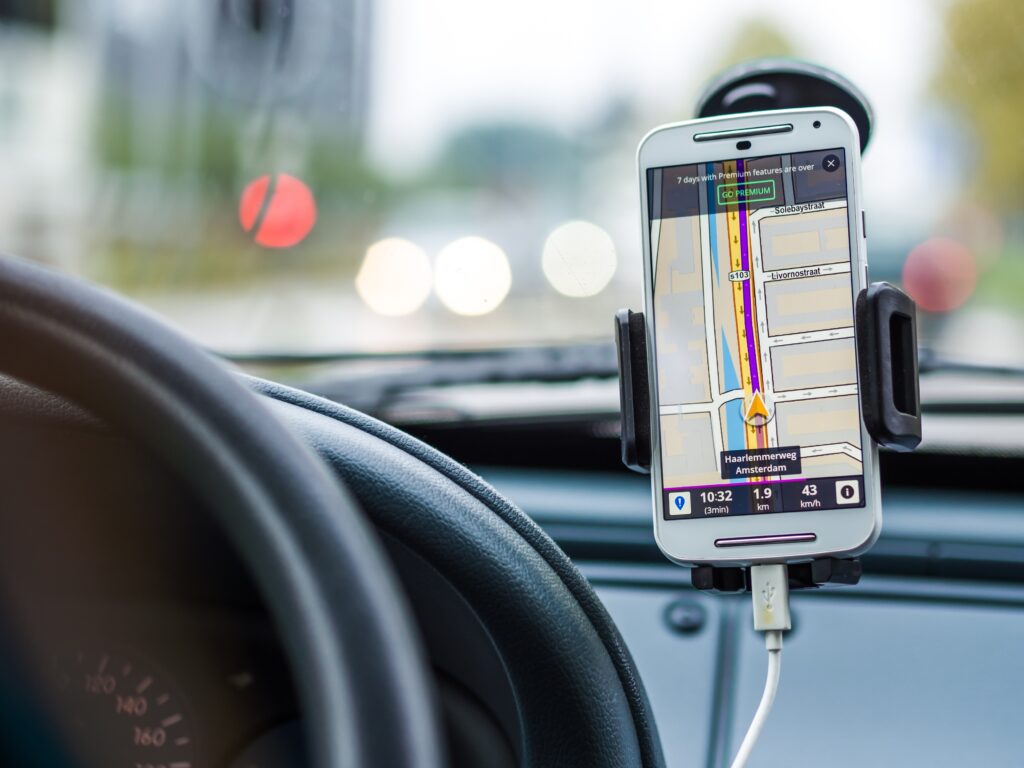
Google Maps remains one of the most practical tools for driving in both Australia and the USA.
It can provide:
- turn-by-turn navigation;
- live traffic information;
- estimated journey times;
- alternative routes;
- nearby petrol stations;
- restaurants and supermarkets;
- accommodation locations;
- saved lists of places;
- downloadable offline map areas.
Google allows users to download selected map areas to a phone or tablet for offline navigation. Some functions may be limited without a data connection, and offline maps need to be downloaded before entering an area with poor reception.
Where Google Maps works well
Google Maps is useful for navigating between confirmed stops and finding services during the day.
It is also helpful for checking:
- how far a hotel is from the motorway;
- whether restaurants are available near the accommodation;
- how complicated a city-centre arrival may be;
- the general location of attractions;
- alternative routes when traffic changes.
Saved lists can be shared with other travellers, which is useful when family members want to suggest restaurants or attractions.
Where it falls short
Google Maps usually shows the fastest practical driving route. That does not mean the route is suitable for your family.
Its estimated travel time does not automatically include:
- meal stops;
- bathroom breaks;
- time for children to run around;
- fuel stops;
- scenic detours;
- parking;
- attraction visits;
- fatigue;
- collecting or returning a hire vehicle.
A route that shows five hours of driving can easily take most of the day once normal family stops are included.
Best for: navigation after the main itinerary has been planned.
2. Apple Maps
Best for Apple users who want built-in navigation
Apple Maps is a practical alternative for travellers already using an iPhone, Apple Watch or CarPlay.
Current features include:
- voice-guided driving directions;
- traffic information;
- route options;
- nearby places;
- downloaded offline maps;
- integration with Apple devices;
- Look Around street-level imagery in supported locations.
Apple supports downloading selected map areas for offline use. This can be useful when driving through regional Australia, US national parks or areas where mobile reception may be unreliable.
Where Apple Maps works well
Its close integration with iPhones and CarPlay can make it simple to use in a rental vehicle.
Apple’s Look Around feature can also help travellers inspect:
- the entrance to a hotel;
- the surrounding neighbourhood;
- nearby parking;
- the position of a petrol station;
- unfamiliar road layouts.
Where it falls short
Like Google Maps, Apple Maps is primarily a navigation tool rather than a complete holiday planner.
It will not judge whether the itinerary has too many hotel changes or whether a particular driving day is suitable for a mixed-age group.
Best for: Apple users who want navigation without adding another main mapping app.
3. Waze
Best for live traffic and road alerts
Waze is built around live information reported by drivers.
It can provide alerts about:
- traffic congestion;
- crashes;
- roadworks;
- hazards;
- potholes;
- stopped vehicles;
- changing journey times;
- alternative routes.
Waze can also suggest when to leave and reroute drivers when conditions change.
Where Waze works well
Waze is particularly useful around major cities and busy roads where traffic conditions can change quickly.
It may help when driving through or around:
- Sydney;
- Melbourne;
- Brisbane;
- Los Angeles;
- San Francisco;
- Las Vegas;
- other large metropolitan areas.
It is often most useful on the day of travel rather than during the early planning stage.
Where it falls short
Waze may choose a route because it saves a few minutes, even when that route is less comfortable for an unfamiliar driver.
A shortcut through narrow suburban roads or complicated local streets may not be the best choice when driving:
- on the opposite side of the road from home;
- in an unfamiliar hire vehicle;
- with tired children;
- after a long flight;
- with a larger SUV or people mover.
Drivers should use judgement rather than following every suggested reroute automatically.
Waze also depends heavily on current data, so it should not be your only option in areas with weak reception.
Best for: checking live conditions on the day of travel.
4. Wanderlog
Best for organising the whole family itinerary
Wanderlog is more useful as an itinerary organiser than as a stand-alone navigation app.
It allows travellers to keep an itinerary and map together, including:
- accommodation;
- attractions;
- restaurants;
- flights;
- car-hire bookings;
- notes;
- reservations;
- daily plans;
- driving times;
- shared trip access.
Family members can be invited to view or edit a trip, which can help when several adults are involved in planning.
Wanderlog can also import certain booking details and show saved places on a map. Some features, including more advanced route tools and offline access, may depend on the chosen plan.
Where Wanderlog works well
It is useful for seeing whether too much has been placed into one day.
For example, you can view:
- the hotel;
- the planned attractions;
- the route between them;
- the estimated travel time;
- nearby meal options.
That makes it easier to identify a day that looks manageable as a list but becomes unrealistic once the distances are visible.
It is also helpful when one family member holds all the booking information. Sharing the itinerary allows other adults to see where they are staying and what has been planned.
Where it falls short
An itinerary app can organise the choices you enter, but it cannot confirm that those choices are good ones.
It may not recognise that:
- a hotel has expensive or difficult parking;
- a child will need a break before the suggested stop;
- an older traveller may struggle with repeated hotel changes;
- a rental vehicle is too small for the luggage;
- an attraction needs more time than the schedule allows;
- a driving route is unsuitable in winter;
- a one-way car hire attracts a large relocation charge.
Best for: keeping a multi-day trip organised and shareable.
5. Roadtrippers
Best for finding interesting stops on a USA road trip
Roadtrippers is built specifically around road-trip discovery and planning.
Its tools include:
- route creation;
- points of interest;
- curated road-trip guides;
- suggested stops;
- attractions;
- food and accommodation;
- itinerary organisation;
- trip sharing;
- optional navigation and offline features on selected plans.
Roadtrippers is particularly useful for USA trips where the journey between major destinations is part of the holiday.
It can help identify:
- roadside attractions;
- scenic stops;
- unusual museums;
- historic sites;
- national parks;
- small towns;
- places to eat along the route.
Where Roadtrippers works well
It is more discovery-focused than Google Maps.
Google Maps is good when you already know where you are going. Roadtrippers can help generate ideas for what might be worth seeing between two confirmed destinations.
That can be useful on routes such as:
- Los Angeles to Las Vegas;
- San Francisco to Los Angeles;
- Route 66;
- a US national parks itinerary;
- a Southern or Midwest road trip.
Where it falls short
Many of its more useful functions sit within paid plans, and the number of stops available can vary by membership level.
The suggested stops also need to be checked against the family’s available time. Adding several interesting detours can turn a manageable travel day into a very long one.
It should be used to discover possibilities, not to decide that every suggested stop belongs in the final itinerary.
Best for: discovering stops on a USA road trip.
6. PetrolSpy
Best for comparing fuel prices in Australia
PetrolSpy is designed for Australia and New Zealand.
It displays fuel prices and nearby service stations, helping drivers compare options before filling up.
Depending on the available local data, it may show prices for:
- unleaded petrol;
- E10;
- premium fuels;
- diesel;
- LPG.
Fuel prices can vary considerably between suburbs, towns and service stations, so checking before filling up may save money during a longer Australian road trip.
Where PetrolSpy works well
It can help drivers decide whether to:
- fill up before leaving a city;
- wait until the next major town;
- compare nearby stations;
- avoid paying more at a motorway service centre.
Where it falls short
Fuel-price data can change quickly and may depend on government feeds, service-station information or user reports.
Do not drive a long distance purely to save a small amount per litre. The detour, extra fuel and lost time may outweigh the saving.
On remote routes, availability is more important than finding the lowest price. Fill up when there is a sensible opportunity rather than assuming the next station will be open or have the required fuel.
Best for: comparing Australian fuel prices without changing the route substantially.
7. GasBuddy

Best for comparing fuel prices in the USA
GasBuddy performs a similar role for US road trips.
It provides tools for finding nearby fuel prices and estimating trip fuel costs.
This can be helpful because fuel prices in the USA can vary by:
- state;
- city;
- neighbourhood;
- service station;
- payment method;
- fuel grade.
Australian travellers should remember that US fuel prices are normally displayed per gallon rather than per litre.
Where GasBuddy works well
GasBuddy can help with:
- locating nearby fuel stations;
- comparing reported prices;
- estimating the fuel component of a road trip;
- planning fuel stops on longer routes.
Where it falls short
The lowest advertised price may come with conditions, such as a membership, app payment or cash purchase.
Prices may also change before arrival.
As with PetrolSpy, the app should support sensible fuel planning rather than encouraging long detours for a small saving.
Best for: checking fuel options during a USA self-drive holiday.
Which apps should you download?
You probably do not need all seven.
For an Australian road trip
A practical combination is:
- Google Maps or Apple Maps for navigation;
- Waze for live traffic around major cities;
- Wanderlog for organising the itinerary;
- PetrolSpy for comparing fuel prices.
For a USA road trip
A practical combination is:
- Google Maps or Apple Maps for navigation;
- Waze for live traffic;
- Wanderlog for the overall itinerary;
- Roadtrippers for finding stops;
- GasBuddy for fuel prices.
Download the apps and any offline map areas before leaving home. Sign in, confirm the saved trip appears on each required device and test how the main navigation app connects to the hire vehicle.
Do not rely on a single phone
One phone should not hold the only copy of:
- the itinerary;
- hotel addresses;
- car-hire details;
- attraction bookings;
- offline maps;
- emergency contacts.
Share the itinerary with another adult and download maps on a second device where possible.
Carry a charging cable that fits the rental vehicle and a portable power bank. It is also worth keeping a simple written list of the overnight stops and hotel addresses.
What road trip apps cannot plan for you

Apps are good at handling maps, information and calculations.
They are less effective at understanding the people inside the vehicle.
An app does not know:
- whether your children cope well with long drives;
- how often your family needs to stop;
- whether a grandparent can manage repeated hotel changes;
- how much luggage you will bring;
- whether the vehicle has enough boot space;
- whether the hotel charges for parking;
- how difficult it will be to collect a car after an overnight flight;
- whether the route allows enough time to enjoy the destination;
- whether you need two vehicles instead of one;
- whether a cheaper hotel creates more driving and parking problems.
It can calculate four hours of driving. It cannot tell you whether four hours is sensible after a long-haul flight with three tired children.
Use the apps after building a realistic itinerary
Road trip apps work best after the broad route has been planned properly.
Before mapping every stop, decide:
- who is travelling;
- how many driving days are comfortable;
- how many nights are needed in each place;
- which experiences matter most;
- what size vehicle is required;
- where the car will be collected and returned;
- whether one-way fees apply;
- how much unplanned time the family needs.
Once those decisions have been made, apps can make the journey easier to organise and navigate.
Roam Wisely helps Australian families plan and book self-drive holidays across Australia and the USA, including accommodation, car hire, attractions and realistic driving routes.
Explore our Australia family holiday planning page or USA family holiday planning page for trip ideas and planning support.
You can also use our family road trip packing list before departure.
For help creating a route that works for everyone travelling, book a free travel planning meeting.
Still not sure how to turn ideas like this into a trip you can confidently book?
If you’re feeling unsure about routes, timing, or what to book first, it may help to start here.
Want help applying this to your own trip?
If you’d like to talk it through and get clarity before booking, you can book a free consult.